Get started
Quick install
Note
This requires Python 3.10+ and uv. Docker is only needed for the last part, which builds a container image. See the installation guide for details.
$ pip install tesseract-core
Hello Tesseract
A Tesseract is a folder with a tesseract_api.py that defines its endpoints. Here, we’ll run and invoke a simple Tesseract that greets you by name.
Run your first Tesseract
Download the Tesseract examples and unpack the archive. From that directory, you can invoke the helloworld example via the Python SDK, the CLI, or the REST API:
>>> from tesseract_core import Tesseract
>>>
>>> with Tesseract.from_source("examples/helloworld/tesseract_api.py") as helloworld:
...     helloworld.apply({"name": "Osborne"})
{'greeting': 'Hello Osborne!'}
Tesseract.from_source serves the Tesseract from a separate process. On first use, it builds an environment for the Tesseract from its tesseract_config.yaml and tesseract_requirements.txt, and reuses that environment while the requirements stay unchanged.
The tesseract-runtime CLI runs a Tesseract in your current environment, so the runtime and the Tesseract’s requirements have to be installed there:
$ pip install "tesseract-core[runtime]"
$ export TESSERACT_API_PATH=examples/helloworld/tesseract_api.py
$ tesseract-runtime apply '{"inputs": {"name": "Osborne"}}'
{"greeting":"Hello Osborne!"}
With the runtime installed as in the CLI tab, serve the Tesseract and send it requests:
$ export TESSERACT_API_PATH=examples/helloworld/tesseract_api.py
$ tesseract-runtime serve --port 8080 &
$ curl -d '{"inputs": {"name": "Osborne"}}' \
       -H "Content-Type: application/json" \
       http://127.0.0.1:8080/apply
{"greeting":"Hello Osborne!"}
Tip
Having trouble? Check common issues for solutions.
Build a container image
To share a Tesseract with someone who doesn’t have your environment, or to deploy it, package it as a container image. This step requires Docker:
$ tesseract build examples/helloworld
 [i] Building image ...
 [i] Built image sha256:95e0b89e9634, ['helloworld:latest']
The image exposes the same endpoints, and the tesseract CLI can run or serve it:
$ tesseract run helloworld apply '{"inputs": {"name": "Osborne"}}'
{"greeting":"Hello Osborne!"}
$ tesseract serve -p 8080 helloworld
 [i] Waiting for Tesseract containers to start ...
 [i] Container ID: 2587deea2a2efb6198913f757772560d9c64cf8621a6d1a54aa3333a7b4bcf62
 [i] Name: tesseract-uum375qt6dj5-sha256-9by9ahsnsza2-1
 [i] Entrypoint: ['tesseract-runtime', 'serve']
 [i] View Tesseract: http://127.0.0.1:56489/docs
 [i] Docker Compose Project ID, use it with 'tesseract teardown' command: tesseract-u7um375qt6dj5
{"project_id": "tesseract-u7um375qt6dj5", "containers": [{"name": "tesseract-uum375qt6dj5-sha256-9by9ahsnsza2-1", "port": "8080"}]}%

$ curl -d '{"inputs": {"name": "Osborne"}}' \
       -H "Content-Type: application/json" \
       http://127.0.0.1:8080/apply
{"greeting":"Hello Osborne!"}

$ tesseract teardown tesseract-u7um375qt6dj5
 [i] Tesseracts are shutdown for Project name: tesseract-u7um375qt6dj5
>>> from tesseract_core import Tesseract
>>>
>>> with Tesseract.from_image("helloworld") as helloworld:
...     helloworld.apply({"name": "Osborne"})
{'greeting': 'Hello Osborne!'}
Every Tesseract auto-generates CLI and REST API docs. For a built image, view them with:
$ tesseract run helloworld --help
$ tesseract apidoc helloworld
 [i] Waiting for Tesseract containers to start ...
 [i] Serving OpenAPI docs for Tesseract helloworld at http://127.0.0.1:59569/docs
 [i]   Press Ctrl+C to stop
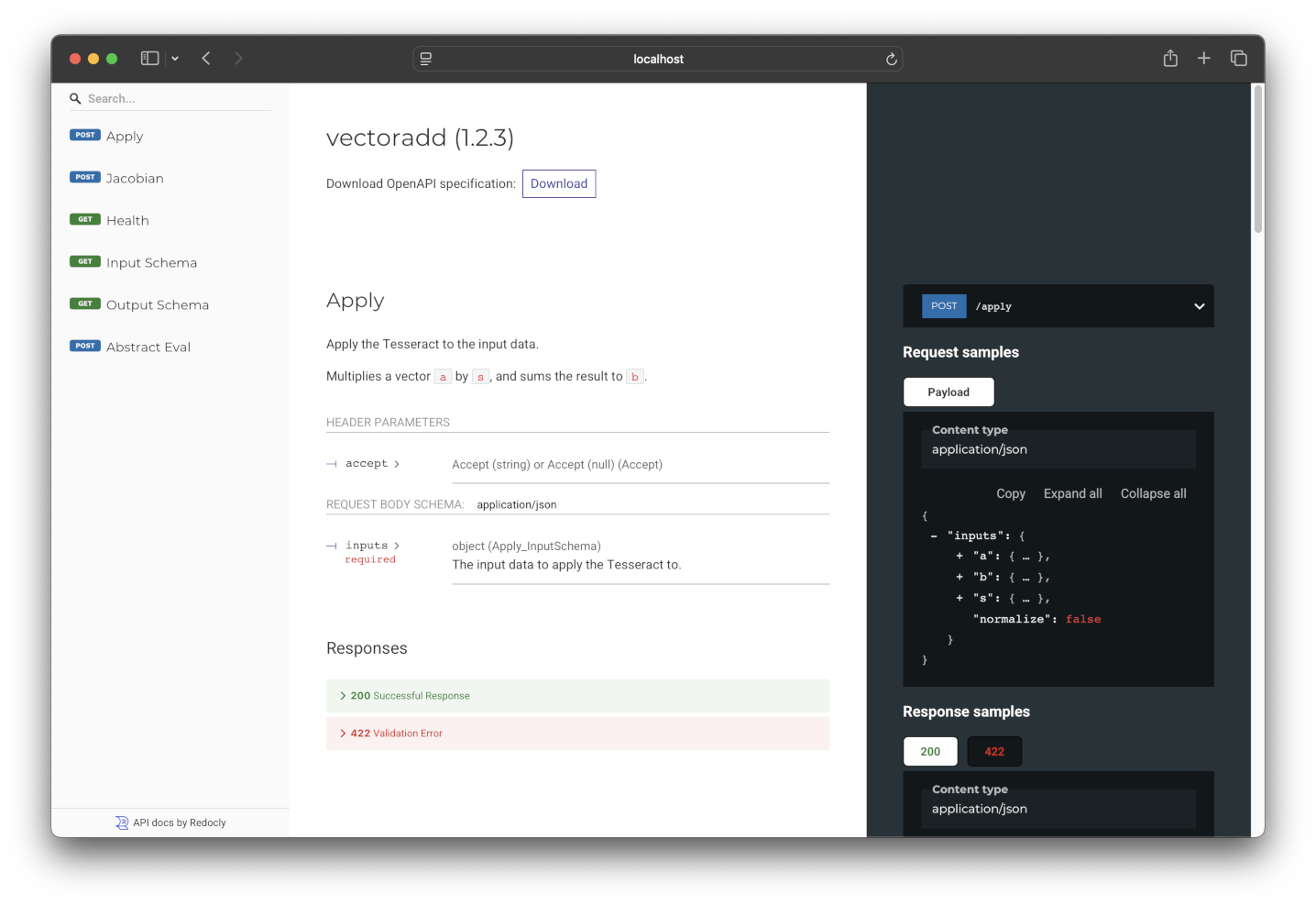
The OpenAPI docs for the helloworld Tesseract, documenting its endpoints and valid inputs / outputs.
Under the hood
The helloworld folder contains three files:
$ tree examples/helloworld
examples/helloworld
├── tesseract_api.py
├── tesseract_config.yaml
└── tesseract_requirements.txt
These are all that’s needed to define a Tesseract.
tesseract_api.py
This file defines the Tesseract’s input and output schemas, along with the endpoint functions: apply, abstract_eval, jacobian, jacobian_vector_product, and vector_jacobian_product (see endpoints). Only apply is required.
class InputSchema(BaseModel):
    name: str = Field(description="Name of the person you want to greet.")
class OutputSchema(BaseModel):
    greeting: str = Field(description="A greeting!")
def apply(inputs: InputSchema) -> OutputSchema:
    """Greet a person whose name is given as input."""
    return OutputSchema(greeting=f"Hello {inputs.name}!")
Tip
For a Tesseract that has all optional endpoints implemented, check out the Univariate example.
tesseract_config.yaml
Contains metadata such as the Tesseract’s name, description, version, and build configuration.
name: "helloworld"
version: "1.0.0"
description: "A sample Python app"

build_config:
  # Options marked (images only) are used by `tesseract build` and ignored by
  # `Tesseract.from_source`.

  # Base image for the container, must be Ubuntu or Debian-based (images only)
  # base_image: "debian:bookworm-slim"

  # Platform to build the container for (images only). In general, images can
  # only be executed on the platform they were built for.
  # target_platform: "native"

  # Additional packages to install in the container via apt-get (images only)
  # extra_packages:
  #  - package_name

  # Data to copy into the container, relative to the project root (images only)
  # package_data:
  #  - [path/to/source, path/to/destination]

  # Additional Dockerfile commands to run during the build process (images only)
  # custom_build_steps:
  #  - |
  #   RUN echo "Hello, World!"
tesseract_requirements.txt
Lists the Python packages the Tesseract needs, in pip requirements file format. Both from_source and tesseract build install them.
Note
This file is optional. tesseract_api.py can invoke functions written in any language. With Tesseract.from_source, non-Python dependencies have to be installed on your machine. To package them with the Tesseract, build a container image and use the build_config section in tesseract_config.yaml to provide data files and install system dependencies.
# Add Python requirements like this:
# numpy==1.18.1
Next steps
Depending on your needs:
Overview — how a Tesseract is structured, the design decisions behind it, and the ways to run one
Creating Tesseracts — define schemas, implement endpoints, and run Tesseracts
Interacting with Tesseracts — invoke Tesseracts, compute derivatives, and read their schemas
Checking gradients — verify a Tesseract’s derivatives against finite differences
Or jump into the demos, which differentiate through Fortran, PyTorch, and coupled solvers end to end.